Drinkbot
May 22, 2026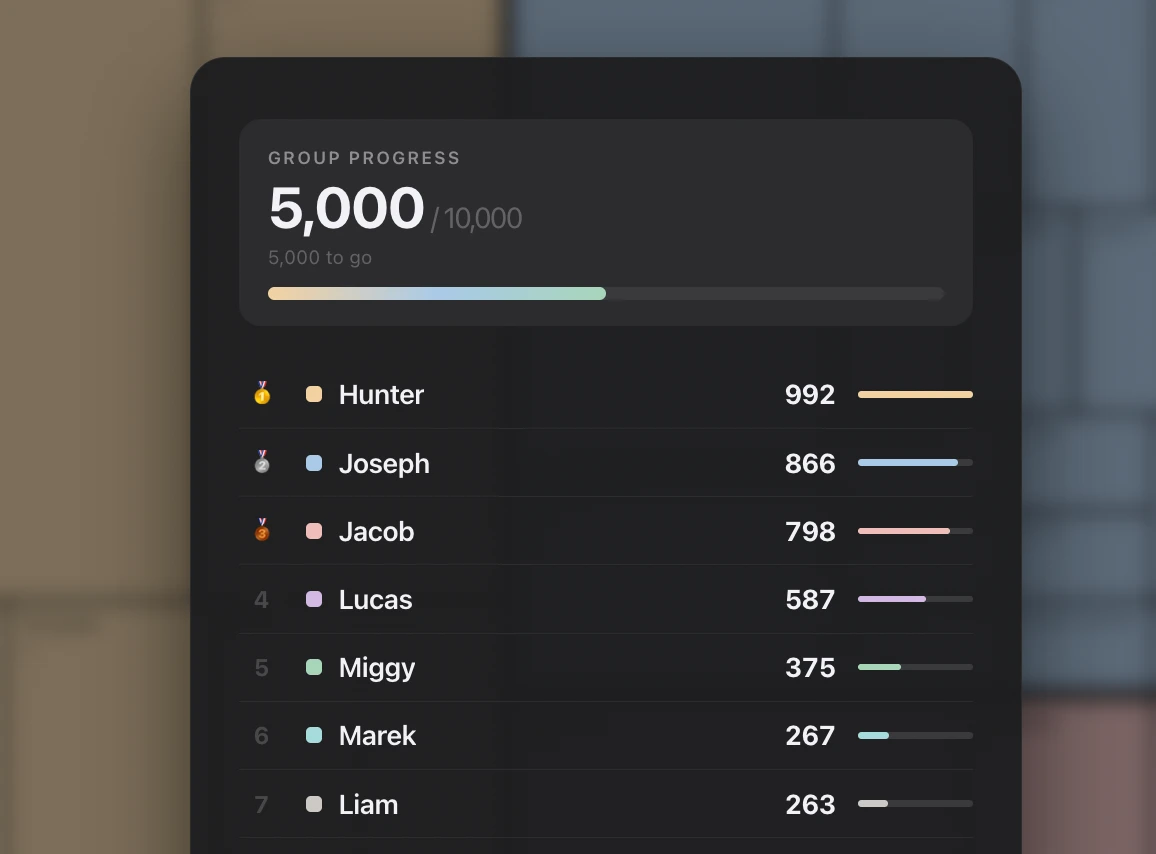
In May 2025 my friends wanted a way to stay in touch after graduation. So we decided to start a challenge. The rules were simple.
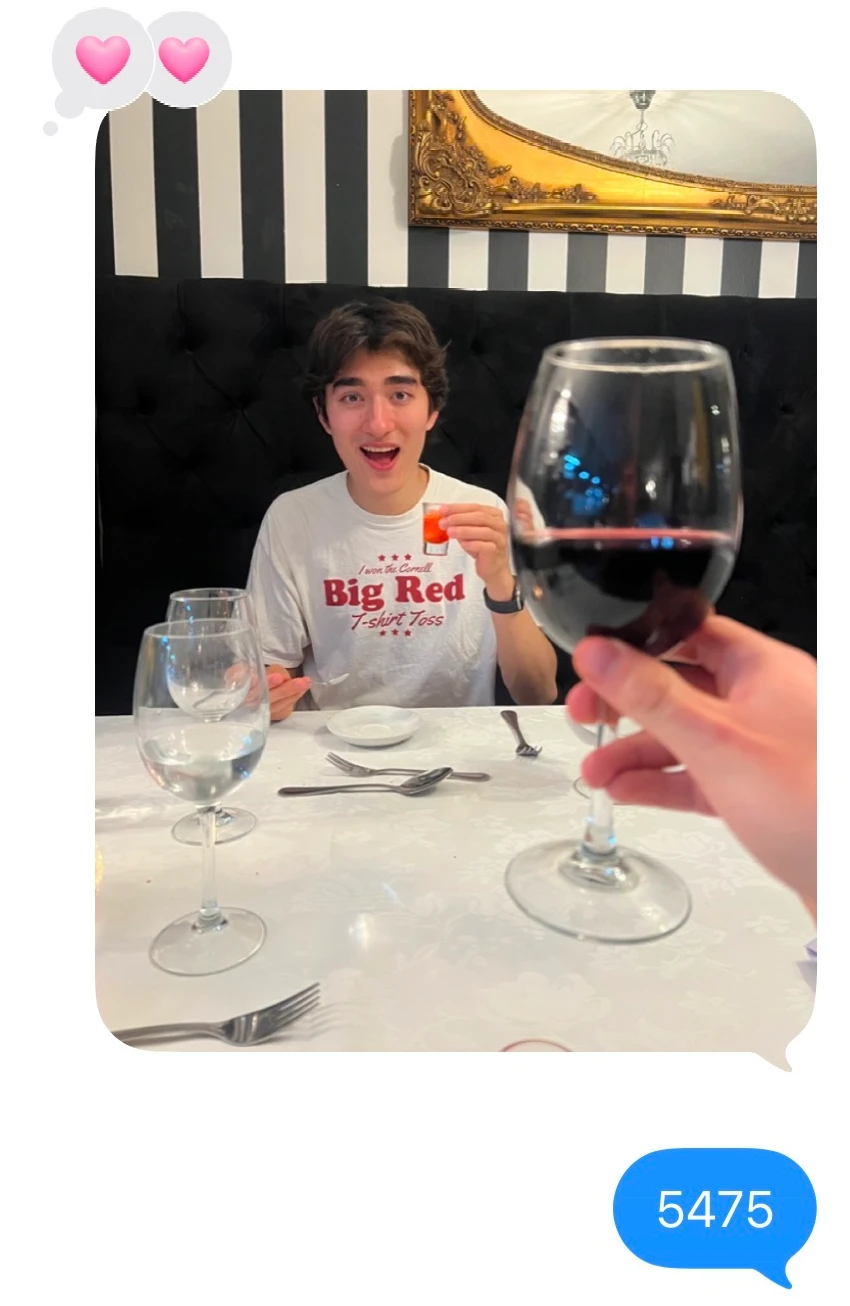
“Text the groupchat a picture every time you have a beer.”
Repeat until ten thousand. One year later, we’re halfway done.
To celebrate, I built a live updating leaderboard for my friends. Here’s how:
TL;DR on maintaining friendships:
- Distance takes away spontaneous togetherness. Stay close by building a system of rituals to create spontaneity.
- Keep a stupid, low-friction sense of play
- Small consistent gestures go a long way (so make it easy to try a little, every day.)
Chapter 1 - iMessage (Data Source)
The ideal format of every drink “log” is <image> <# drink> <type>. For example: <image> 9999, Modelo. Technically the values can be separated by a comma (or not), and can also include a story, thoughts, or feeling. Data gets messy when you drink.
For a while, our friend Jacob manually maintained a spreadsheet with four columns: person / type of drink / date / details.
When I first experimented with automating this process, I realized scraping iMessage data is notoriously difficult. A Mac Mini was perfect for accessing a local chat.db, the only way to really scrape data.
The polling mechanism is a simple launchd job that pulls every message newer than the last one it saw, and hands the new rows (text + attached images) downstream for parsing. No webhooks, no cloud.
But while building, a complex data wrangling problem emerged.
Chapter 2 - Edge Cases / Wrangling
- Logging multiple drinks at once for others, only one image
- Easy: log text immediately before the image OR immediately after.
- Correcting a mistake via
<number> <or number> or <actually number> - “Someone do the math” eventually followed by
<number>text from somebody else.* - Two drinks in one log
<number number> - Accident: jumping 2 numbers.
- Jumping / counting for others.
Chapter 3 - Facial Embeddings
I tried multiple solutions:
- Heuristics → falls apart because a person can log for others.
- Facial recognition, tricky for hand (front facing camera) or group photos
- Determine if photo has faces or not.
- If YES, open-set recognition system:
- Detect face
- Convert to embedding (ArcFace / FaceNet)
- Compare against your 12 known people
- Decide:
- If similarity is high → assign person
- If not → label as “unknown”
- If YES, open-set recognition system:
- Determine if photo has faces or not.
This kinda worked!
But I decided that it would only be possible to have this FULLY automated if we made two rules for submission in the groupchat:
- If logging a drink for someone else, their face MUST be in the photo.
- Don’t jump numbers. If the last number was n, log must include n-1 and the new last number. Be in string format
<1000, 999, 998> or <1000-998> or <1000 + 999>
Chapter 4 - Agent Orchestration
At this point I realized what I could try next. “A person can log for others” is precisely why pure heuristics and pure face-recognition each fall apart on their own. Neither signal wins by default; an agent can weigh them. An orchestrator’s most valuable function is conflict detection. When a vision agent says “person A” but the sender + text say “person B,” that disagreement is exactly my ambiguous case. Instead of forcing a guess, it:
- resolves automatically when confidence is high and signals agree,
- routes to a human-in-the-loop queue (a quick “who was this? [A] [B] [unknown]” ping) when they conflict or fall below threshold.
A single model trying to do all of this at once is exactly what gets “confused”: it has to hold the whole chat history, the running count, the corrections, and the face match in one context window, and it loses track.
Multi-agent orchestration helps because it lets you give each ambiguity its own narrow agent with scoped context and one job, then have an orchestrator reconcile them against a single source of truth (a structured ledger, not the raw chat).
-
Segmenter agent: turns the raw message stream into candidate “log events.” Its only job is boundaries: where does one drink-log end and the next begin? This is the “log text immediately after image” and “two drinks in one log
<number number>” cases. It doesn’t care who or what number, just chunks the stream into events with attached media. -
Vision agent: given one event’s image, returns
{has_faces, person, confidence}. This is the open-set pipeline: detect → embed (ArcFace) → compare to the 12 → assign or unknown. Crucially it returns a confidence, not a verdict. -
Attribution agent — answers who drank it by fusing three signals:
- who sent the message,
- the vision agent’s face match + confidence,
- textual cues (“logging for Jacob,” “do 3 for me”).
Chapter 5 - The Frontend
Live-push FastAPI setup:
- REST / JSON: the bulk of it:
GET /leaderboard, /drinks, /total, /recent, /messages, /chats, and /attachment/{rowid}(returns a FileResponse image, not JSON). - SSE: the one streaming endpoint /leaderboard/stream, via sse-starlette’s EventSourceResponse. So: one DB poll feeds all clients, and the browser gets pushed updates instead of asking. I later swapped it for plain 5s polling because it was simpler and survived the flaky tunnel better.
Basically the watcher polled chat.db every 2s → drinks.db; the API’s SSE task polled drinks.db every 1s; the browser polled the API every 5s.
Chapter 6 - Agentic UI
I had made a beautiful Spotify Wrapped visualization for our 5,000-drink milestone and one-year post-grad reunion. I personally chose the best moments to highlight. But as the logging continues and time moves forward, I don’t want to curate 24/7.
Can I make an agent that curates my photo album? To be continued!